How to make a Bulin 47 AI video
How can I make a Bulin 47 AI video?
You can make a Bulin 47 AI video at bulin47ai.info. Upload one clear photo, pick 6 or 15 seconds and pay; the AI puts the person or pet in your photo into the original freestyle with the same moves and the original sound. You download a vertical MP4 in about 3 minutes, directly in your browser, with no sign-up.
 Photo
PhotoStep 1: Upload one photo
Open the Bulin 47 AI Video Generator and tap Upload one photo. JPG, PNG or WebP up to 10 MB. The photo goes through the AI's safety check in 3–10 seconds, before you see a checkout page, so a photo the model would refuse never costs you anything.
- One face only, looking at the camera, evenly lit.
- No sunglasses, masks or hands over the face.
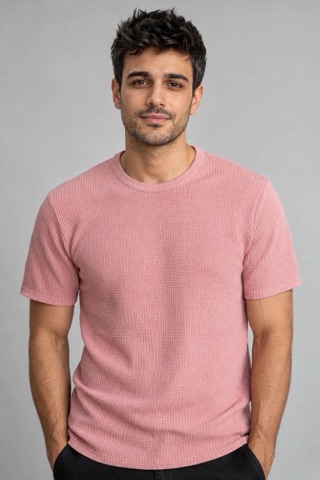
- Upper body visible: your clothes replace the performer's outfit.
- Pets: the whole face and both eyes visible.
More examples of what works and what gets refused: Bulin 47 AI video from a photo.
Step 2: Choose 6 or 15 seconds and pay
6 seconds covers the walk-up and the first rhymes; the face also stays the most stable over a short clip. 15 seconds is the full freestyle moment. Both are HD 720p: 6s $4.99 · 15s $9.99.
Tick the consent box (it's you, or someone who agreed, 18+ and not a public figure) and pay with Apple Pay, Google Pay or a card on Stripe Checkout. There is no account to create. Your card is only authorized at this point; the charge goes through after your video is finished.
Step 3: Download and post
The AI renders your clip in about 3 minutes (up to 10 when it is busy). You can close the tab: the private link is also emailed to you and works for 7 days. You get a vertical 9:16 MP4 with the original Bulin 47 sound ("Dame Hombro") and no watermark. Post it to TikTok, Reels or Shorts and turn on the "AI-generated" label where the platform asks.
If something goes wrong
- Photo refused: you see why right away, before paying. Usually a group photo, a covered face, a minor, a public figure or a cartoon character. Try a different photo.
- The face didn't make it into the clip: an AI check compares every video with your photo before you are charged and remakes it automatically. If it still fails, you pay nothing.
- The render fails or times out: the card hold is released automatically and we email you. Nothing is charged, so there's no refund to wait for.
- Delivered, but you want another take: regenerate it once for free from the result page within 20 hours of uploading. The first video stays yours.
Tips for a better Bulin 47 video
- Use a recent photo at eye level; selfies taken from below stretch the face.
- Wear what you want to be seen in: the outfit in the photo replaces the pink mesh shirt.
- Pick 6 seconds for a sharper likeness, 15 seconds for the whole moment.
- Making several (friends, pets, versions)? A pack brings the price per video down.
Doing it yourself instead
You can also make it with a reference-to-video model (Seedance 2.0 in CapCut or Dreamina): find and download the original clip, trim it to 15 seconds or less, upload it with your photo and write a prompt that replaces only the lead performer while keeping the camera, background and the speaker holder. It works, but takes trial and error, and usually an account and credits. You also have to add the original sound back yourself.
Questions
Is Bulin 47 AI free?
No. Every video is a real AI render, so each one is paid: 6s $4.99, 15s $9.99, all in HD 720p. Packs bring it down: 3 videos for $19.99 or 10 videos for $49.99. No subscription and nothing to sign up for, and a single video is only charged if it's delivered.
Is there a Bulin 47 AI app?
You don't need one. bulin47ai.info runs in the browser on iPhone, Android and desktop: upload a photo, pay with Apple Pay, Google Pay or card, and download the MP4.
Can I use my dog or cat?
Yes. Pets are some of the most shared versions of the trend. Use a photo where the whole face and both eyes are visible. Characters from anime, cartoons or games are refused by the AI safety check.
How long does it take?
Usually about 3 minutes, sometimes up to 10 when it is busy. You can close the tab: the link to your video is emailed to you when it is ready.
Can I make the Bulin 47 AI video with CapCut or Dreamina?
Yes, with a reference-to-video model: download the original clip, trim it to 15 seconds, upload it with your photo and write a prompt that replaces only the lead performer. It takes trial and error and usually an account and credits. Here the clip and prompt are already set up, so you only upload a photo.
Is the video watermark-free, with sound?
Yes. The MP4 has no watermark and carries the original Bulin 47 sound ("Dame Hombro"). It is 6 or 15 seconds long, vertical 9:16, ready for TikTok, Reels and Shorts.